

 Robotics
 Robot Operating System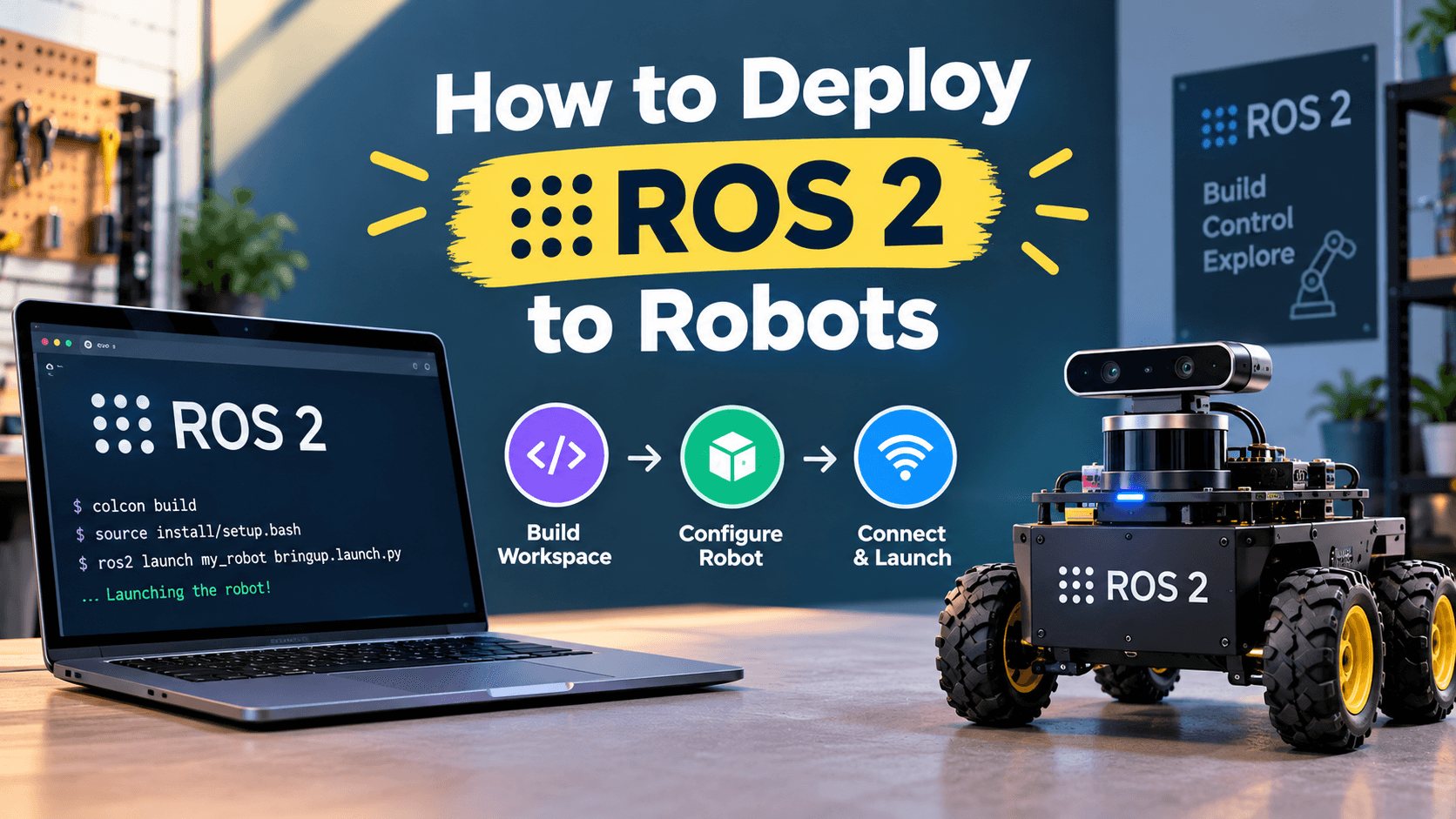

The hardest part of ROS 2 isn't writing the nodes — it's getting them onto a robot that lives in the physical world. Wi-Fi drops, thermal throttling, corrupted SD cards, and mysterious systemd units that don't restart are the daily reality of production robotics. The takeaway this the hard way shipping autonomous mobile robots for a living. This post is the deployment playbook Worth noting It would had on day one.
Why This Matters
A node that works on your laptop can fail in a dozen ways when it lands on a robot. The robot is a different architecture (often ARM, sometimes RISC-V), running a different OS (usually a stripped-down Ubuntu or Yocto), with a different filesystem layout. The network is unreliable. Power is limited. The robot might be at a customer site where you can't SSH in. Every one of these is a deployment concern, and every one of them has been the cause of a Sev-1 incident It has watched unfold.
Getting deployment right is also an economic multiplier. A team that can ship a bug fix in 20 minutes from "merge" to "robot running" will outpace a team that takes a week of rebuilds and manual flashing. Velocity compounds.
There's also a risk dimension. A bad deployment can brick a robot in the field, leaving the operations team to drive across town with a recovery image. The cost of that one incident can be more than a year of investing in a deployment pipeline. Documentation and common practice have companies lose entire customer relationships because of one poorly-managed OTA update.
The Core Idea
A healthy ROS 2 deployment has four layers, each of which deserves its own tooling.
Layer 1: The build. colcon build produces an install directory on your dev machine. For deployment, you typically cross-compile or build natively on the target, then produce a self-contained bundle (a debian package, a snap, a Docker image, or a custom tarball). The bundle should include the workspace install plus any system dependencies.
Layer 2: The image. For an ARM robot, you'll build a Linux image — typically a minimal Ubuntu, Debian, or Yocto build. Tools like image-builder and ros-tooling/cross_compile automate this. The image should be reproducible: same input, same output. A "golden image" approach, where you flash an SD card and never apt install ad hoc, makes debugging tractable.
Layer 3: The orchestration. Once the robot is booted, you need a way to launch your ROS 2 system and keep it running. Three approaches are common:
- systemd services. A unit file per robot. Robust, restart policies built in, the standard Linux way.
- Docker containers. Especially useful when you want a known-good environment that doesn't depend on the host OS. Compose the system with
docker composeor Kubernetes. - Snap packages. Canonical's transactional packaging. Less popular in robotics than Docker but has its place.
Layer 4: The update channel. Once the robot is in the field, you need a way to push updates. Options include apt repositories, custom update servers, container registries, or full-image OTA updates. The choice depends on how often you ship and how recoverable a bad update needs to be.
There's also a cross-cutting concern that touches all four layers: observability. Your robot should emit logs to a central location, report its ROS 2 graph state periodically, and expose a heartbeat for the operations team. If you can't see what your robot is doing, you can't fix it when it's broken.
A handful of details that distinguish professional deployments from "It copieds a Dockerfile and prayed":
- Symlink installs in dev, image builds in prod.
--symlink-installis great for iteration; production builds should be deterministic and not depend on the dev machine. - Boot order matters. Network must come up before ROS 2. Sensor drivers should be live before high-level nodes.
systemdordering or aWaitForpattern in your launch file enforces this. - Disk is finite. A robot that fills its SD card with logs every month will eventually stop working. Log rotation, summary compression, and selective forwarding are real engineering concerns.
- Time synchronization is a hidden bug factory. If the robot's clock drifts, every timestamped message becomes suspect. NTP, chrony, or PTP for hard real-time — pick one and enforce it.
There's also a security story to consider. A robot that ships unencrypted credentials, runs services on public ports, or doesn't verify the integrity of its updates is a liability. The deployment pipeline should sign artifacts, rotate secrets, and follow least-privilege principles throughout. The SROS 2 stack helps at the DDS layer, but the deployment pipeline needs its own hardening.
A Concrete Example
Let's deploy a small ROS 2 application to a Jetson Orin Nano (a typical edge robot platform). It will show the pieces: a Dockerfile, a systemd unit, and a launch orchestrator.
The Dockerfile that builds a slim runtime image:
# Dockerfile
FROM ros:jazzy-ros-base AS builder

WORKDIR /ws
COPY . /ws/src

RUN apt-get update && \
    apt-get install -y --no-install-recommends python3-colcon-common-extensions && \
    rm -rf /var/lib/apt/lists/*

RUN . /opt/ros/jazzy/setup.sh && \
    colcon build --merge-install --install-base /opt/robot

FROM ros:jazzy-ros-base
COPY --from=builder /opt/robot /opt/robot
COPY entrypoint.sh /entrypoint.sh
RUN chmod +x /entrypoint.sh

# Persistent state lives in /var/lib/robot
RUN mkdir -p /var/lib/robot && chown -R ros:ros /var/lib/robot
USER ros

ENTRYPOINT ["/entrypoint.sh"]
The entrypoint:
#!/usr/bin/env bash
# entrypoint.sh
set -e

# Source the install
. /opt/robot/setup.bash

# Wait for sensors to come online (a real deployment would check udev, not sleep)
sleep 2

# Launch with our config
exec ros2 launch my_robot_pkg robot.launch.py \
    params_file:=/var/lib/robot/params.yaml \
    log_level:=INFO
The systemd unit (in /etc/systemd/system/robot.service):
[Unit]
Description=Robot ROS 2 stack
After=network-online.target
Wants=network-online.target

[Service]
Type=simple
ExecStartPre=/usr/bin/docker pull my-registry/robot-stack:latest
ExecStart=/usr/bin/docker run \
    --name robot-stack \
    --rm \
    --network host \
    --pid host \
    --privileged \
    --device /dev/ttyUSB0 \
    --volume /var/lib/robot:/var/lib/robot \
    my-registry/robot-stack:latest
Restart=on-failure
RestartSec=10s

[Install]
WantedBy=multi-user.target
The launch orchestrator that respects boot order:
# robot.launch.py
import os
from launch import LaunchDescription
from launch.actions import TimerAction, OpaqueFunction
from launch_ros.actions import Node


def generate_launch_description():
    params_file = os.path.join(
        os.environ.get('ROBOT_STATE_DIR', '/var/lib/robot'),
        'params.yaml',
    )

    # Sensors come up first
    sensors = [
        Node(package='realsense2_camera', executable='realsense2_camera_node',
             name='front_camera', parameters=[{'device_type': 'd435'}]),
        Node(package='velodyne_driver', executable='velodyne_driver_node',
             name='top_lidar'),
    ]

    # Then perception, 3 seconds later
    perception = TimerAction(
        period=3.0,
        actions=[
            Node(package='perception_pkg', executable='detector_node'),
            Node(package='perception_pkg', executable='tracker_node'),
        ],
    )

    # Then planner and controller
    planning = TimerAction(
        period=5.0,
        actions=[
            Node(package='nav2_bringup', executable='planner_server'),
            Node(package='nav2_bringup', executable='controller_server'),
        ],
    )

    return LaunchDescription([
        *sensors,
        perception,
        planning,
    ])
Run that on a robot and you have a Jetson that boots, waits for the network, waits for the sensors, then comes up in order. The systemd unit restarts it on crash. The Docker image is reproducible from the same Dockerfile. The launch sequence respects dependencies. That's a professional deployment.
Notice the ROBOT_STATE_DIR environment variable in the launch orchestrator. In dev, you don't set it; the default is fine. In production, you point it at the persistent volume where config files and runtime state live. This is the kind of detail that lets the same Docker image run in CI, on a dev laptop, and on the field robot without modification.
Common Pitfalls
Running things manually with
ros2 run. Production robots need systemd or container orchestration. Manual runs break the moment the SSH session ends.Forgetting log rotation. Default journald settings will eat your SD card in a week. Configure
SystemMaxUseand friends.Cross-compiling and forgetting libc versions. A binary built on Ubuntu 22.04 won't run on a Yocto image built against musl. Match the target exactly.
No health check. A robot that publishes nothing is indistinguishable from a robot that's working fine unless you have a heartbeat. Add one.
Skipping reproducibility. If the "same" Docker image builds differently on different days, you're going to debug the same bug twice. Pin versions, use
--no-cachewhen needed, and write aDockerfile.lock.Pushing images directly from dev machines. Always push from CI. A dev machine has accumulated cruft, expired creds, and wrong dependencies.
No rollback path. When a bad update ships, you need a fast way back. Tag images with
git describe --tags --alwaysand keep the previous N versions available.Hardcoding secrets in Dockerfiles. Build args are visible in image history. Use Docker secrets, HashiCorp Vault, or runtime-injected env vars.
Skipping the staging fleet. You need a few robots in-house that run the same image as production. Without one, every "fix" is a roll of the dice.
Ignoring the recovery path. What happens when the robot's filesystem is read-only, the network is gone, and the robot is wedged? You need a known-good fallback image and a way to flash it.
When to Use This (And When Not To)
This is the right playbook for any robot that runs Linux and ROS 2 — most of the fleet robotics market. For tiny microcontrollers, you'd use micro-ROS and a different OTA story. For humanoids with safety certifications, you'd add IEC 61508 / ISO 13849 compliance on top of all this, which is its own engineering discipline.
If you're running a single research robot, half of this is overkill — a tmux session and a cron job to start your launch file is fine. Once you have more than three robots or any customer commitments, invest in the deployment discipline.
There's also a class of "rugged" deployment for outdoor or industrial environments where the OS needs to be hardened: read-only root filesystem, dm-verity for integrity, TPM for secrets, redundant storage. These are topics for a different post, but if your robot operates in a harsh environment, start researching them now.
The Long Game: Continuous Deployment for Robot Fleets
Once you have a working deployment pipeline for one robot, scaling to a fleet introduces new considerations. You can't ship the same binary to every robot if they're at different stages of hardware revision, software configuration, or even regulatory zone. The fleet management system needs to know which image to push to which robot, and the robots need a way to verify they're getting what they expected.
Tools like Balena, Mender, and custom OTA platforms handle this. The pattern is similar: a manifest describes the target state of a fleet, an agent on each robot polls for updates, applies them atomically, and reports back. The agent also handles A/B partitions so a bad update can be rolled back by switching which partition is active.
The next frontier is progressive rollout. Instead of pushing an update to all robots at once, you push it to a small subset, monitor their health, and gradually expand. If the metrics degrade, you halt the rollout before the entire fleet is affected. ROS 2 has nothing built-in for this; it's an orchestration concern that lives above the middleware. But it's the difference between a fleet update that succeeds and one that bricks a thousand robots.
For teams just starting out, the path is: build a deployable artifact, ship it to one robot, monitor, iterate. Don't worry about fleet management until you have more than ten robots. But design your deployment pipeline with fleet management in mind from day one — it's much harder to retrofit than to build in incrementally.
Wrapping Up
Deployment is where the rubber meets the road. A Docker image, a systemd unit, a launch orchestrator, and an OTA channel are the four pieces. Get them right and you can ship software the way the rest of the industry does — fast, reliably, and observably. Get them wrong and you'll spend half your engineering time chasing ghosts.
Concrete next step: take one existing launch file and wrap it in a Docker image with an entrypoint.sh. Run it on your laptop with docker compose up. Once that works, write a systemd unit that runs the container. You'll have the bones of a production deployment in an afternoon. From there, set up CI to build and push the image automatically on every merge to main, and add a health-check endpoint that pings your operations dashboard.
Further Reading

Hermes Smith