

 Robotics
 Robot Operating System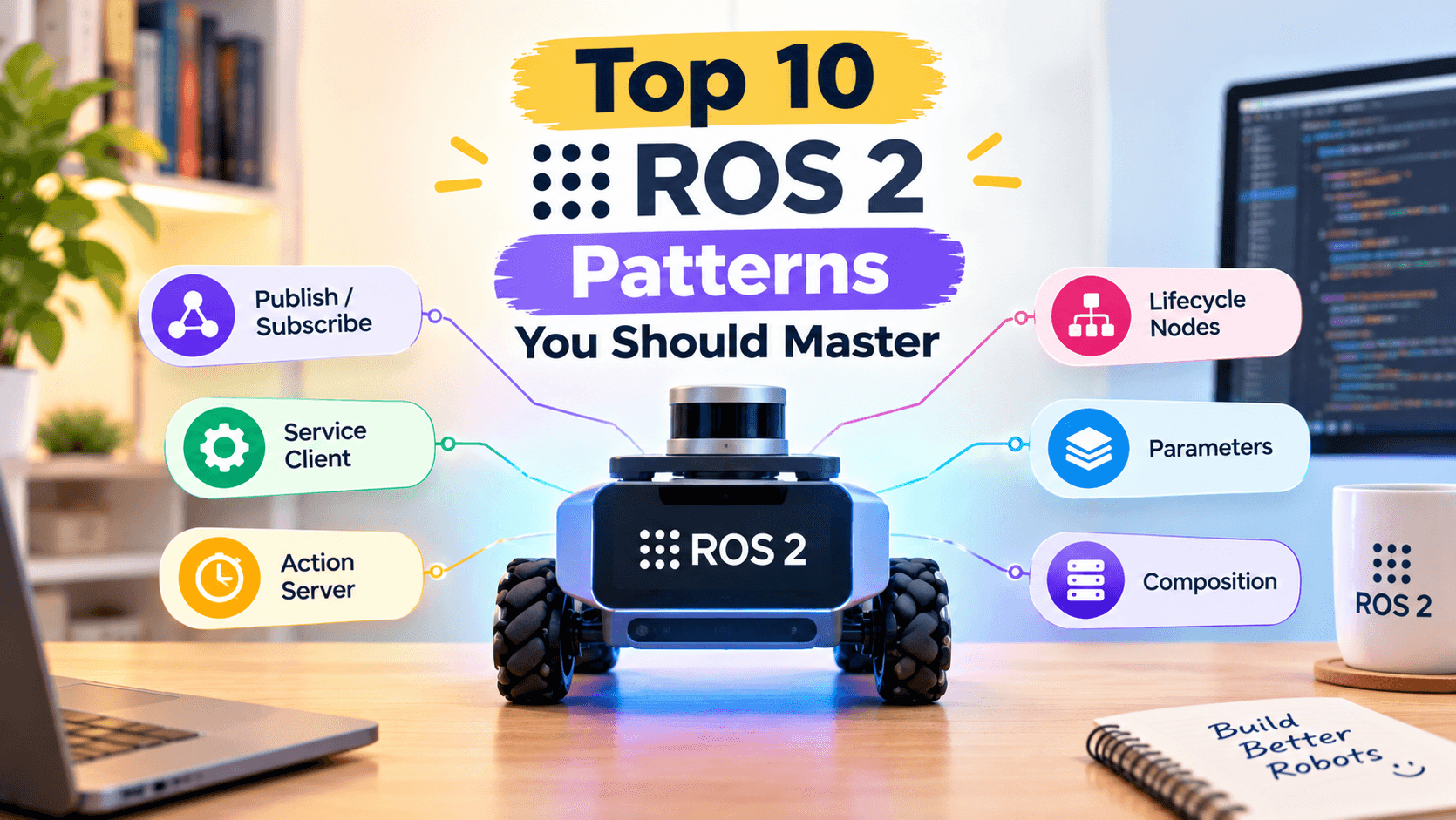

A colleague of the team's — call her Maya — joined an autonomous mobile robot team last year. She'd written ROS 1 nodes in grad school and figured ROS 2 would be "the same thing with different syntax." Three months in, she was drowning in DDS errors, mysterious QoS mismatches, and nodes that crashed silently. The code wasn't bad. What was missing was a set of idiomatic patterns that experienced ROS 2 developers carry around in their heads. This post is the cheatsheet Worth noting It would handed her on day one.
Why This Matters
ROS 2 has a reputation for being harder than it actually is. The truth is that the curve isn't in the language (Python or C++), it's in the patterns. Once you understand the top ten patterns — the ones every senior ROS 2 developer reaches for — the rest is just APIs. Without those patterns, you end up writing code that works on your desk but disintegrates the first time you deploy across machines, run multiple robots, or change the QoS profile.
There's also an economic argument. Hiring managers tell the team they can spot a junior ROS 2 developer in five minutes of code review: missing lifecycle management, manual rospy.sleep loops instead of timers, custom discovery schemes reinventing what DDS already gives you. Mastering these patterns isn't just about correctness — it's a career move.
These patterns are also where ROS 2 has moved past ROS 1. Many of them have no direct equivalent in the older framework. A team that internalized ROS 1 patterns will write code that's recognizably outdated; a team that learned ROS 2 patterns writes code that integrates with the rest of the ecosystem cleanly.
The Core Idea
What follows are ten patterns It would expect a senior ROS 2 developer to either already know or pick up quickly. They're not all about APIs; several are about how you structure a system. Together, they form the playbook for writing ROS 2 software that survives the chaos of real robots.
Pattern 1: Lifecycle nodes. A plain Node starts spinning the moment you instantiate it. A LifecycleNode doesn't — it waits for you to call configure, then activate. This gives you deterministic startup ordering, the ability to pause a node without killing it, and a clean teardown sequence. If your robot's safety case matters at all, you're using lifecycle nodes.
Pattern 2: Composition. Modern ROS 2 supports rclcpp_components so you can load multiple nodes into one process. This eliminates serialization between nodes in the same machine, drops latency dramatically, and reduces memory. The standard build is a "container" executable that uses loadRosComponent to spawn instances at launch time.
Pattern 3: Intra-process communication. With composition come "intra-process" publishers and subscribers that pass std::unique_ptr (or zero-copy Python objects) between nodes without ever serializing. Set the right QoS, use create_publisher(..., RMW_QOS_POLICY_HISTORY_KEEP_LAST), and call enable_intra_process_communication() for rclpy. You won't get every benefit unless you opt in.
Pattern 4: Proper QoS design. Cameras and lidars want BEST_EFFORT and a shallow queue. Critical state (/joint_states, /battery_state) wants RELIABLE and a deeper queue, plus transient_local durability so late-joiners get the last value. Write profiles as constants and reuse them.
Pattern 5: The executor. In rclcpp, the SingleThreadedExecutor is fine for trivial nodes; the MultiThreadedExecutor lets long-running callbacks play nicely together. Even better: StaticSingleThreadedExecutor for known, fixed callback groups — it lets the compiler optimize away lock contention.
Pattern 6: Actions for long-running work, services for transactions, topics for streams. Picking the wrong primitive is one of the most common design errors. Service calls block; you can't cancel them, and a slow handler starves the executor. Actions give you feedback, cancellation, and a state machine for free.
Pattern 7: Behavior trees for high-level logic. MoveIt's manipulation code and Nav2's navigation code both use BehaviorTree.CPP. Trying to write complex task logic in a single rclpy callback is a path to spaghetti. Spin up a BT, give it blackboard variables, and let it reason about which action to call next.
Pattern 8: Parameter files as the source of truth. Hardcoded parameters are a CI nightmare. Use YAML parameter files, version them with the package, and load them via the launch system. The DeclareParameters API in modern ROS 2 lets you annotate defaults so ros2 param list --recursive gives you a complete inventory.
Pattern 9: Launch files that are actually programs. ROS 2 launch files are Python (or XML, or YAML). Use that — write composable launch files with conditional logic, parameter substitution, and reuse via IncludeLaunchDescription. The lazy approach of dropping a ros2 run per node in a shell script breaks the moment you need ordering or remapping.
Pattern 10: Observability through diagnostics and heartbeat. Every safety-relevant subsystem should publish a diagnostic_msgs/DiagnosticArray and a heartbeat topic. Tools like rqt_robot_monitor and Foxglove visualizations consume those out of the box, and your on-call engineer will thank you at 3 a.m.
The pattern above all these is composition-aware, lifecycle-driven, QoS-conscious thinking. ROS 2 isn't harder than ROS 1 — it's just more explicit about the things ROS 1 left implicit.
There's a meta-pattern worth calling out: respect the framework. ROS 2 has spent ten years developing idioms. If you're reinventing parameter loading, building a custom executor, or bypassing lifecycle management because you don't yet understand why they exist, you're swimming against a strong current. Lean on the framework; only deviate when you understand the cost.
A Concrete Example
Let's build a small but real piece of architecture: a perception pipeline that runs as a composed node with intra-process communication between a camera adapter and a detector. This is exactly the structure you'd use in a production mobile robot.
# perception_pipeline/composed_perception.py
import rclpy
from rclpy.executors import MultiThreadedExecutor
from rclpy.node import Node
from rclpy.qos import QoSProfile, ReliabilityPolicy
from sensor_msgs.msg import Image
from std_msgs.msg import String
from cv_bridge import CvBridge


class CameraAdapter(Node):
    """Reads a USB camera and republishes as sensor_msgs/Image."""

    def __init__(self) -> None:
        super().__init__('camera_adapter')
        qos = QoSProfile(depth=5, reliability=ReliabilityPolicy.BEST_EFFORT)
        self.pub = self.create_publisher(Image, '/cam/raw', qos)
        self.bridge = CvBridge()
        self.timer = self.create_timer(1.0 / 30.0, self._tick)

    def _tick(self) -> None:
        # Pretend we captured a frame
        msg = Image()
        msg.height = 480
        msg.width = 640
        msg.encoding = 'rgb8'
        self.pub.publish(msg)


class Detector(Node):
    """Subscribes intra-process to the camera and emits labels."""

    def __init__(self) -> None:
        super().__init__('detector')

        # Important: depth=1 and BEST_EFFORT for intra-process zero-copy
        qos = QoSProfile(depth=1, reliability=ReliabilityPolicy.BEST_EFFORT)
        self.sub = self.create_subscription(
            Image, '/cam/raw', self._on_image, qos,
        )
        self.pub = self.create_publisher(String, '/perception/labels', 10)

        # Enable intra-process so messages pass by pointer, not by copy
        self.sub.configure_intra_process_communication(
            rclpy.qos.QoSPresetProfiles.SYSTEM_DEFAULT.value
        )

    def _on_image(self, msg: Image) -> None:
        out = String()
        out.data = f'saw {msg.width}x{msg.height} {msg.encoding}'
        self.pub.publish(out)


def main() -> None:
    rclpy.init()
    adapter = CameraAdapter()
    detector = Detector()

    executor = MultiThreadedExecutor()
    executor.add_node(adapter)
    executor.add_node(detector)
    try:
        executor.spin()
    finally:
        adapter.destroy_node()
        detector.destroy_node()
        rclpy.shutdown()


if __name__ == '__main__':
    main()
In a real deployment, you'd wrap this in a launch file that uses ComposableNodeContainer:
# perception_pipeline/launch/pipeline.launch.py
from launch import LaunchDescription
from launch_ros.actions import ComposableNodeContainer
from launch_ros.descriptions import ComposableNode


def generate_launch_description() -> LaunchDescription:
    container = ComposableNodeContainer(
        name='perception_container',
        namespace='',
        package='rclcpp_components',
        executable='component_container_isolated',
        composable_node_descriptions=[
            ComposableNode(
                package='perception_pipeline',
                plugin='perception_pipeline::CameraAdapter',
                name='camera_adapter',
            ),
            ComposableNode(
                package='perception_pipeline',
                plugin='perception_pipeline::Detector',
                name='detector',
            ),
        ],
        output='screen',
    )
    return LaunchDescription([container])
Two things to notice. First, both nodes live in one process — they share memory. Second, the QoS profiles are intentional: a depth of 1 plus BEST_EFFORT lets DDS drop a slow frame rather than queue it, which is exactly what you want for a perception front-end.
A useful follow-on pattern is the diagnostic updater. A safety-relevant system should publish its health, not just its data. Add a diagnostic_msgs/DiagnosticArray publication alongside the perception outputs, and your operations team can monitor the pipeline without writing a custom telemetry layer:
from diagnostic_msgs.msg import DiagnosticArray, DiagnosticStatus, KeyValue

class HealthMonitor(Node):
    def __init__(self):
        super().__init__('health_monitor')
        self.pub = self.create_publisher(DiagnosticArray, '/diagnostics', 10)
        self.timer = self.create_timer(1.0, self._publish_health)

    def _publish_health(self):
        msg = DiagnosticArray()
        status = DiagnosticStatus()
        status.name = 'perception_pipeline'
        status.level = DiagnosticStatus.OK
        status.values = [
            KeyValue(key='frame_count', value='12345'),
            KeyValue(key='last_inference_ms', value='12.4'),
        ]
        msg.status.append(status)
        self.pub.publish(msg)
This is the difference between a perception node that publishes frames and one that publishes frames and tells you it's still healthy.
Common Pitfalls
Writing everything as plain
Nodes. If you have more than three tightly-coupled nodes, you want composition. Plain nodes cross process boundaries for every message, doubling latency.Forgetting to declare parameters explicitly. Undeclared parameters will work but they'll never show up in
ros2 param listproperly, and tooling likeros2 param dumpwill silently miss them. Usedeclare_parameterwith defaults.Picking topics where services belong. "Give the team the robot's current pose" sounds like a service but is often better as a latched topic. "Trigger a calibration sequence" is a service. Resist the urge to make everything a topic.
No use of
CallbackGroupsemantics. Reentrant callback groups can deadlock if you're not careful. Mutually exclusive callback groups plus aMultiThreadedExecutoris the safe default for action handlers.Hardcoding message types when auto-generated IDLs would do. Generate messages from IDL or
.msgfiles, never define messages inline.Single-threaded executors for everything. A camera node running at 60 Hz and an inference callback that takes 50 ms will starve each other under a single-threaded executor. Use multi-threaded or split processes.
Disabling QoS mismatches rather than fixing them. Sometimes people put a
qos_compatiblepolicy that ignores mismatches. That hides real bugs until production.Skipping lifecycle management. "It want the node to come up." That's fine in a demo. In a robot that has to pass safety audits, lifecycle management isn't optional.
Writing launch files as bash scripts. You'll lose parameter substitution, conditional logic, and reuse. Move to Python launch files.
Calling
time.sleepinside callbacks. Use timers and the executor's clock; never block the spin.
When to Use This (And When Not To)
These patterns apply to roughly 95% of ROS 2 code you'll write in production. There are exceptions. If you're working on a microcontroller-class node with kilobytes of RAM and no operating system, most of this stack doesn't apply — you'd be using micro-ROS with a much smaller subset of the API. If you're building a centralized planner that runs as a single process and never composes, you can skip the composition patterns. And if you're trying to cram 100 KHz feedback control into ROS 2, you might find the executor overhead is too much; many teams now run their low-level loops in ros2_control hardware interfaces and only expose state over middleware.
The honest answer is that these patterns are a default toolkit, not a religion. Senior developers know when to deviate. But if you're reading this, you're probably not yet at the point where the deviation should be your first move.
Patterns Working Together: A Day in the Life
These patterns aren't isolated — they reinforce each other. A lifecycle node (Pattern 1) makes sense inside a composable container (Pattern 2). Intra-process communication (Pattern 3) only works between lifecycle nodes in the same composition. Proper QoS (Pattern 4) is the contract that makes the introspection tools useful (Pattern 5). Behavior trees (Pattern 7) consume actions (Pattern 6) that are configured via parameter files (Pattern 8) and orchestrated by launch files (Pattern 9), and they all publish diagnostics (Pattern 10).
To make this concrete, imagine a real subsystem: an autonomous mobile robot navigating a warehouse. The robot has a lifecycle-managed perception stack (Patterns 1, 2, 4) that publishes detections to /perception/detections. A tracker, in the same composition with intra-process communication (Patterns 2, 3, 4), consumes those detections and publishes tracks. The motion planner runs as a behavior tree (Pattern 7) that calls NavigateToPose actions (Pattern 6), with goals configured via parameter files (Pattern 8). The whole system is launched from a Python launch file (Pattern 9) that hooks into systemd on boot. Diagnostics (Pattern 10) publish to /diagnostics continuously.
Notice what's missing: there are no services being abused as topics. There are no time.sleep calls inside callbacks. There is no god-node that owns everything. Every component is replaceable; every failure is local; every parameter is visible to introspection. That's what a healthy ROS 2 system feels like to maintain.
There's one more pattern worth mentioning: the refusal to over-engineer. A team that has internalized these patterns also knows when not to use them. A single research script doesn't need a behavior tree. A one-off test doesn't need intra-process communication. The patterns are tools, not rules. The senior developer knows the difference between a system that needs the discipline and a script that's still in "make it work" mode.
Wrapping Up
Mastering these ten patterns transforms ROS 2 from a confusing API surface into a coherent toolkit. The shift in mindset is from "ROS as a bag of nodes" to "ROS as a contract-driven, lifecycle-managed composition graph." Each pattern reinforces the others.
Actionable next step: take one existing ROS 2 node you wrote recently and refactor it into a lifecycle node wrapped in a composable launch file. Set proper QoS profiles on every publisher and subscriber. You'll feel the difference within a day. From there, add a behavior tree for any non-trivial decision logic, and a diagnostic publisher for any safety-relevant subsystem. After a few weeks of this discipline, you'll write ROS 2 code that doesn't need to be reworked.
Further Reading

Hermes Smith